
企业微信:Java 配置API接收消息-openapi回调地址请求不通过处理办法
摘要:本文介绍了如何通过配置企业微信消息服务器
·
*** 在搭建企业微信的应用的时候,我们需要配置对应的消息推送,这里就需要配置消息服务器
首先我们需要一个公网域名来映射我们本地的端口,这里我测试了好几个软件,最终选择
**
cloudflared
**这个软件,免费的
**
1、安装
**
**
windows:
**
https://github.com/cloudflare/cloudflared/releases
Mac:
brew install cloudflare/cloudflare/cloudflared
**
苹果电脑需要加一下代理,不然下载可能会失败
Linux:
**
wget https://github.com/cloudflare/cloudflared/releases/latest/download/cloudflared-linux-amd64 -O cloudflared

chmod +x cloudflared
**
2、启动隧道(映射本地9090,根据自己设置的后端端口号进行映射)
**
cloudflared tunnel --url http://localhost:9090
这里我们用的mac环境的
会输出这样的日志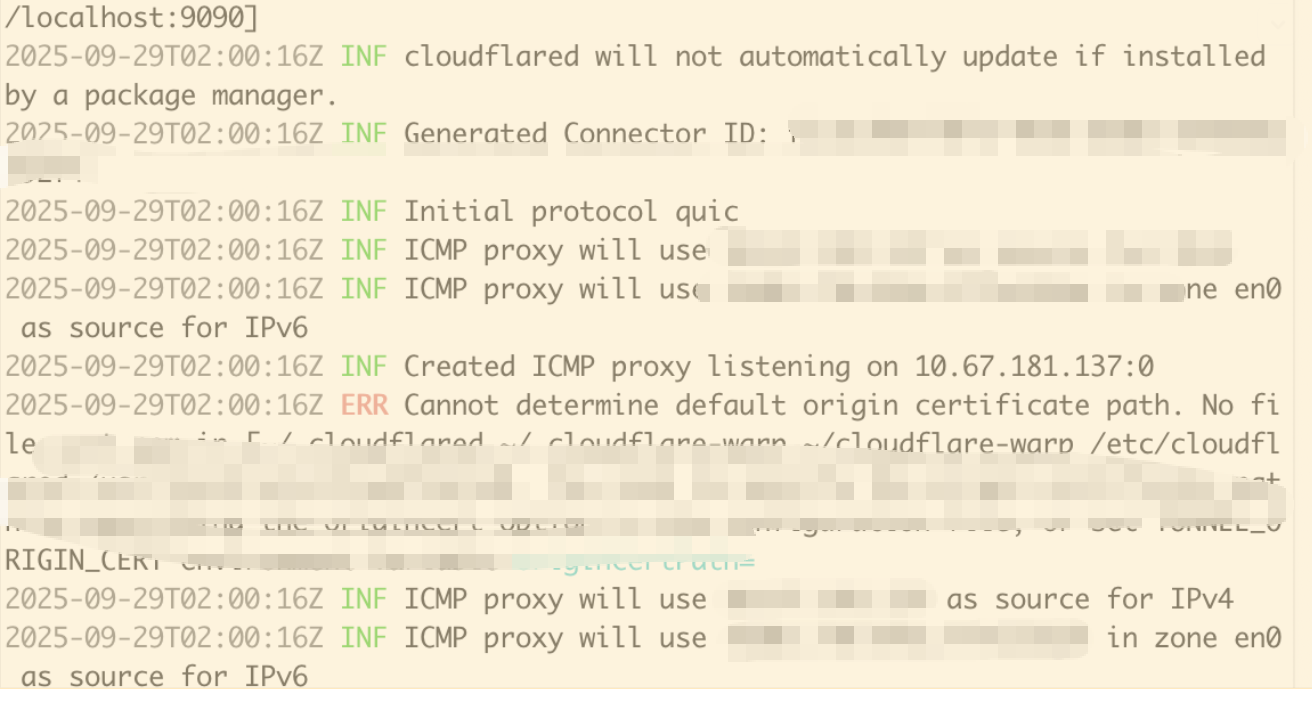
对应日志里面会有映射后的公网域名地址,如果找不到,可以将日志复制给ai助手去解析。
**
3、编写java代码
**
@RestController
@RequestMapping("/wecom")
public class WeComApprovalCallbackController {

    @org.springframework.beans.factory.annotation.Value("${welcome.token}")
    private String token;

    @org.springframework.beans.factory.annotation.Value("${welcome.encoding-aes-key}")
    private String encodingAesKey;

    @org.springframework.beans.factory.annotation.Value("${welcome.corp-id}")
    private String corpId;


    /**
     * 企业微信回调验证接口(GET)
     * 用于首次配置回调 URL 时的验证
     */
    @GetMapping(value = "/approval",produces = MediaType.TEXT_PLAIN_VALUE)
    public ResponseEntity<String> verifyCallback(
            @RequestParam("msg_signature") String msgSignature,
            @RequestParam String timestamp,
            @RequestParam String nonce,
            @RequestParam String echostr) {


        System.out.println("收到回调验证请求:");
        System.out.println("msg_signature: " + msgSignature);
        System.out.println("timestamp: " + timestamp);
        System.out.println("nonce: " + nonce);
        System.out.println("echostr: " + echostr);


        try {
            WXBizMsgCrypt pc = new WXBizMsgCrypt(token, encodingAesKey, corpId);
            // verifyURL 会验证签名并解密 echostr
            String plainText = pc.VerifyURL(msgSignature, timestamp, nonce, echostr);
            System.out.println("✅ 解密成功,明文: " + plainText);
            // 直接返回明文(纯文本)
            return ResponseEntity.ok(plainText);
        } catch (Exception e) {
                System.err.println("❌ 解密失败:");
            e.printStackTrace();
            return ResponseEntity.status(400).body("error");
        }
    }

}
代码里WXBizMsgCrypt方法是对应解密的内容,我们需要去官网下载对应解密java工具
https://developer.work.weixin.qq.com/devtool/introduce?id=10128
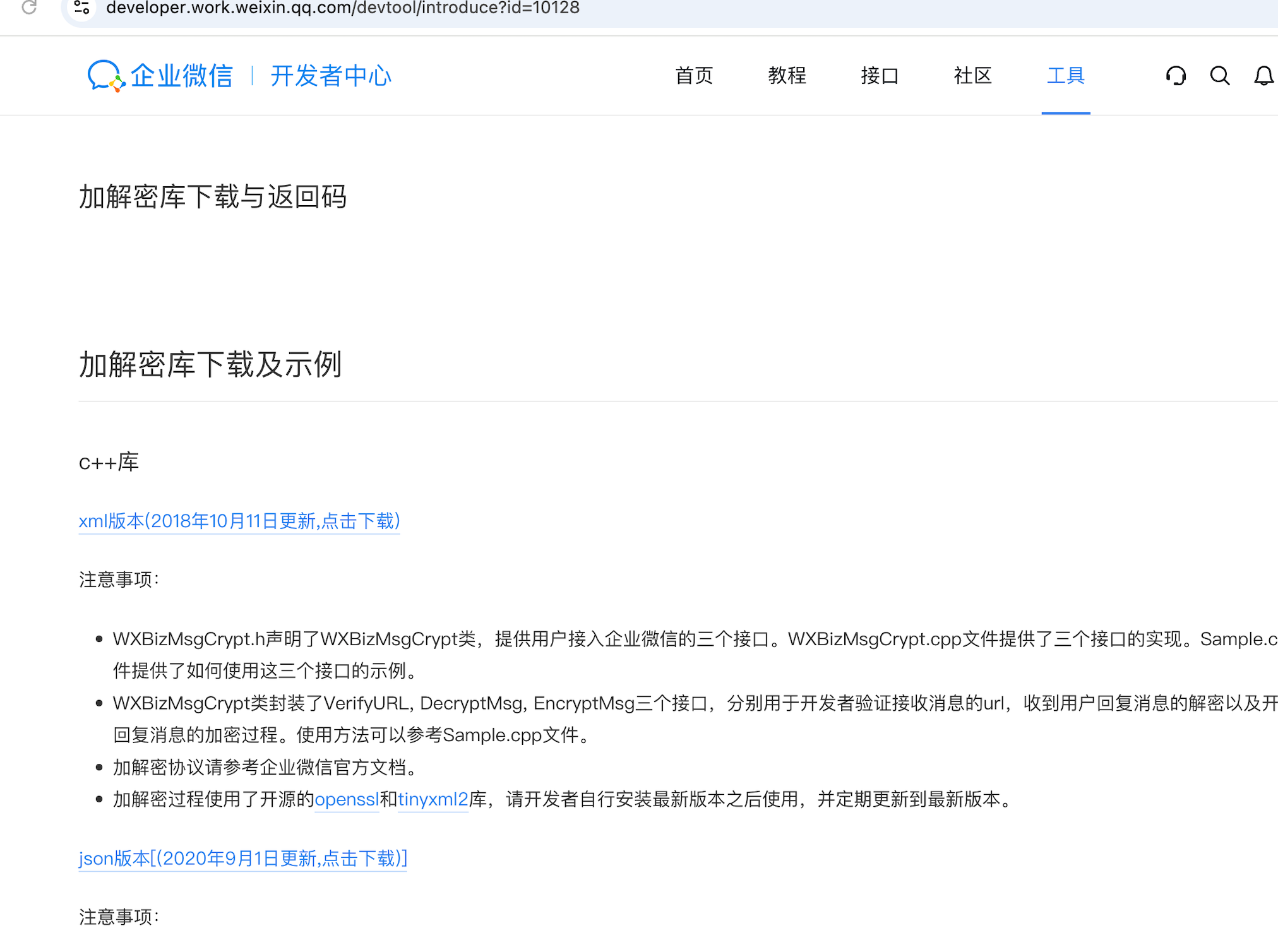
这里使用的是java开发,所以我们找java的对应配置解密文件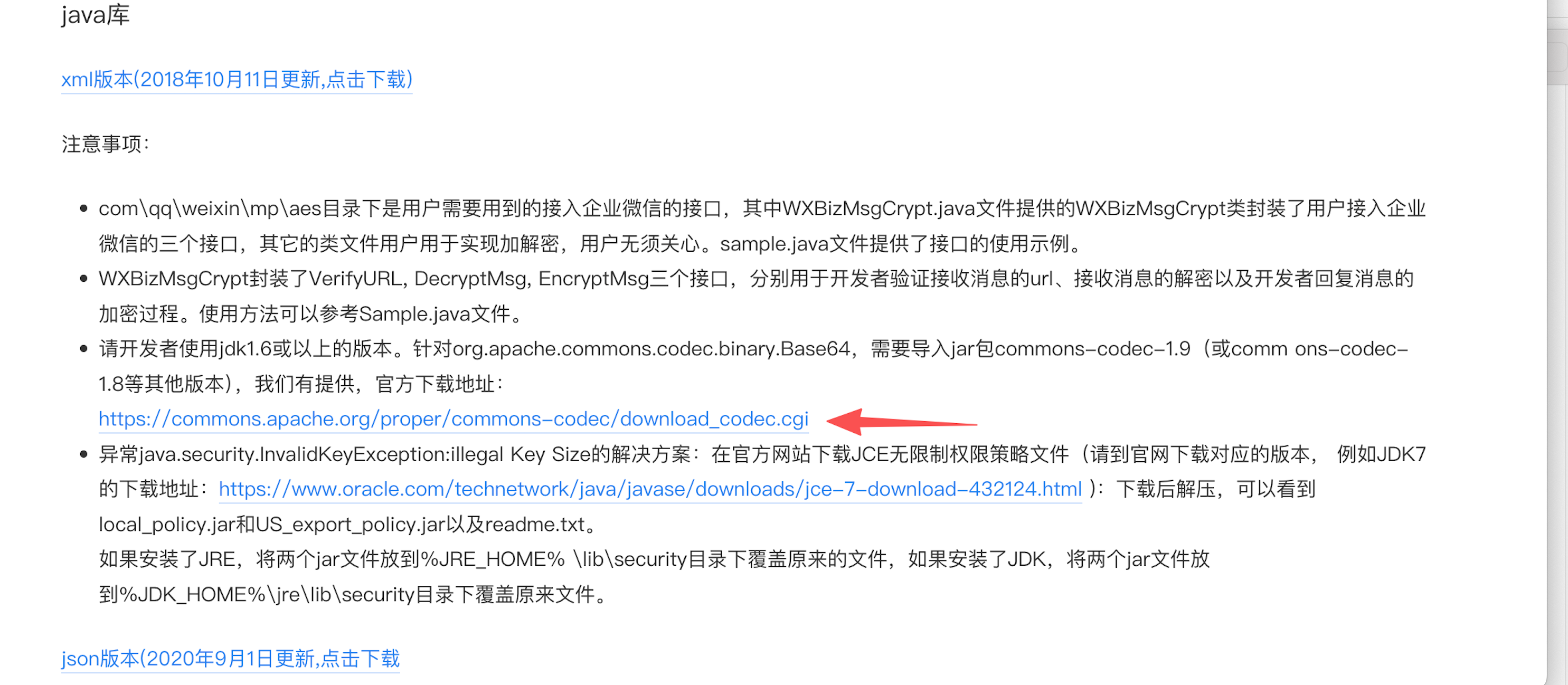
将下载后的解码文件放到java对应的目录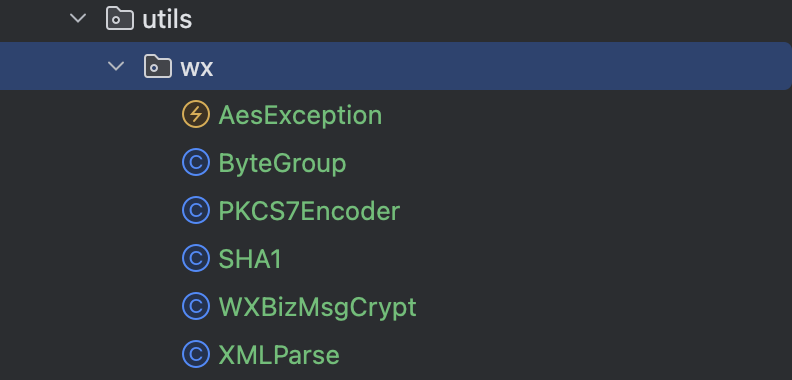
这里它提示如果使用的是jdk1.6以上的需要导入jar包commons-codec-1.9
所以对应我们如果是用maven配置的话,需要在pom.xml中配置
<dependency>
	<groupId>commons-codec</groupId>
	<artifactId>commons-codec</artifactId>
	<version>1.19.0</version>
</dependency>
如果不是maven管理,手动去该地址下载对应文件
https://commons.apache.org/proper/commons-codec/download_codec.cgi
**
yml配置
**
welcome:
  token:                  # 例如:myApprovalToken123
  encoding-aes-key:  # 必须是43位,如:abcdefghijklmnopqrstuvwxyz0123456789ABCD
  corp-id:
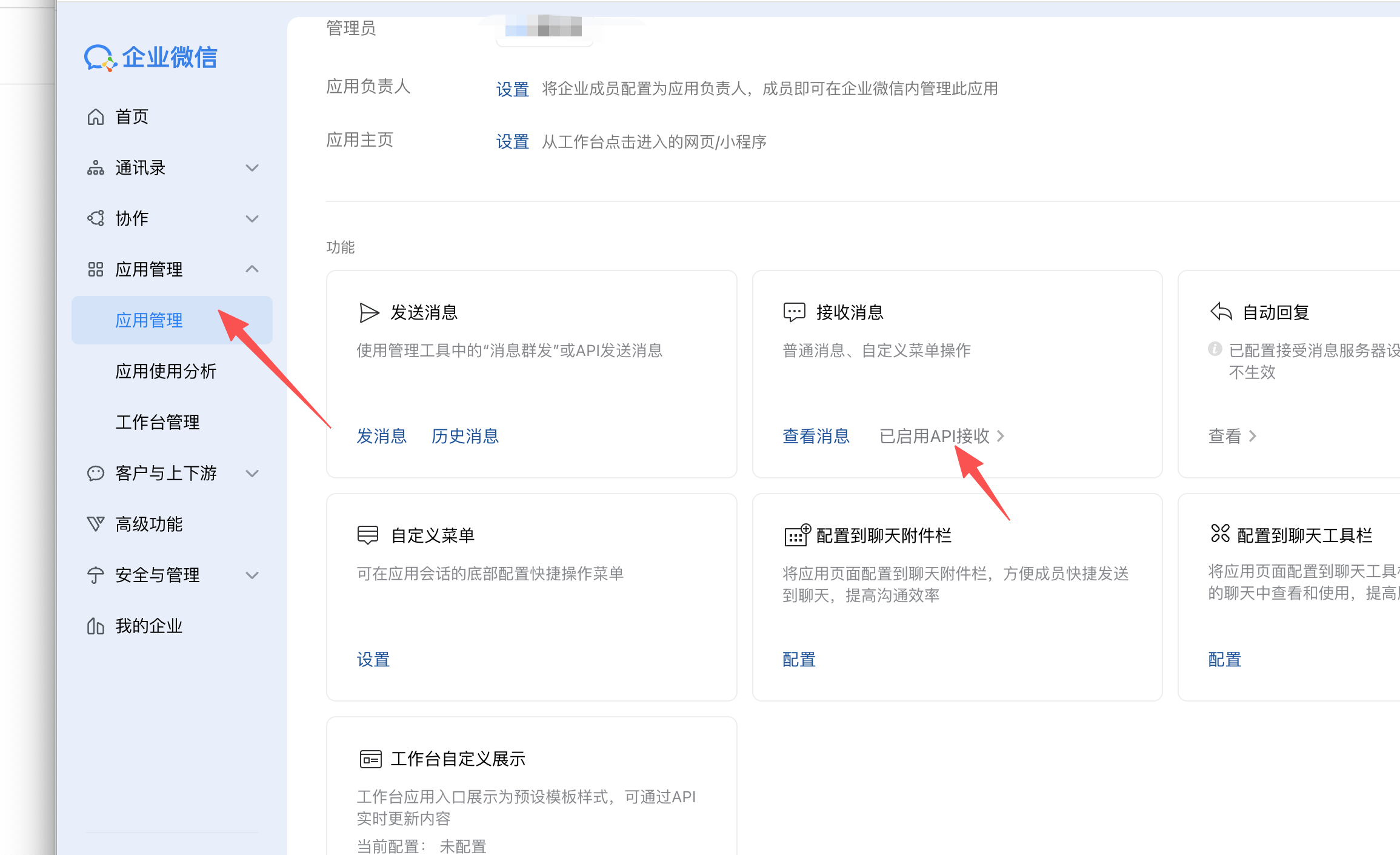
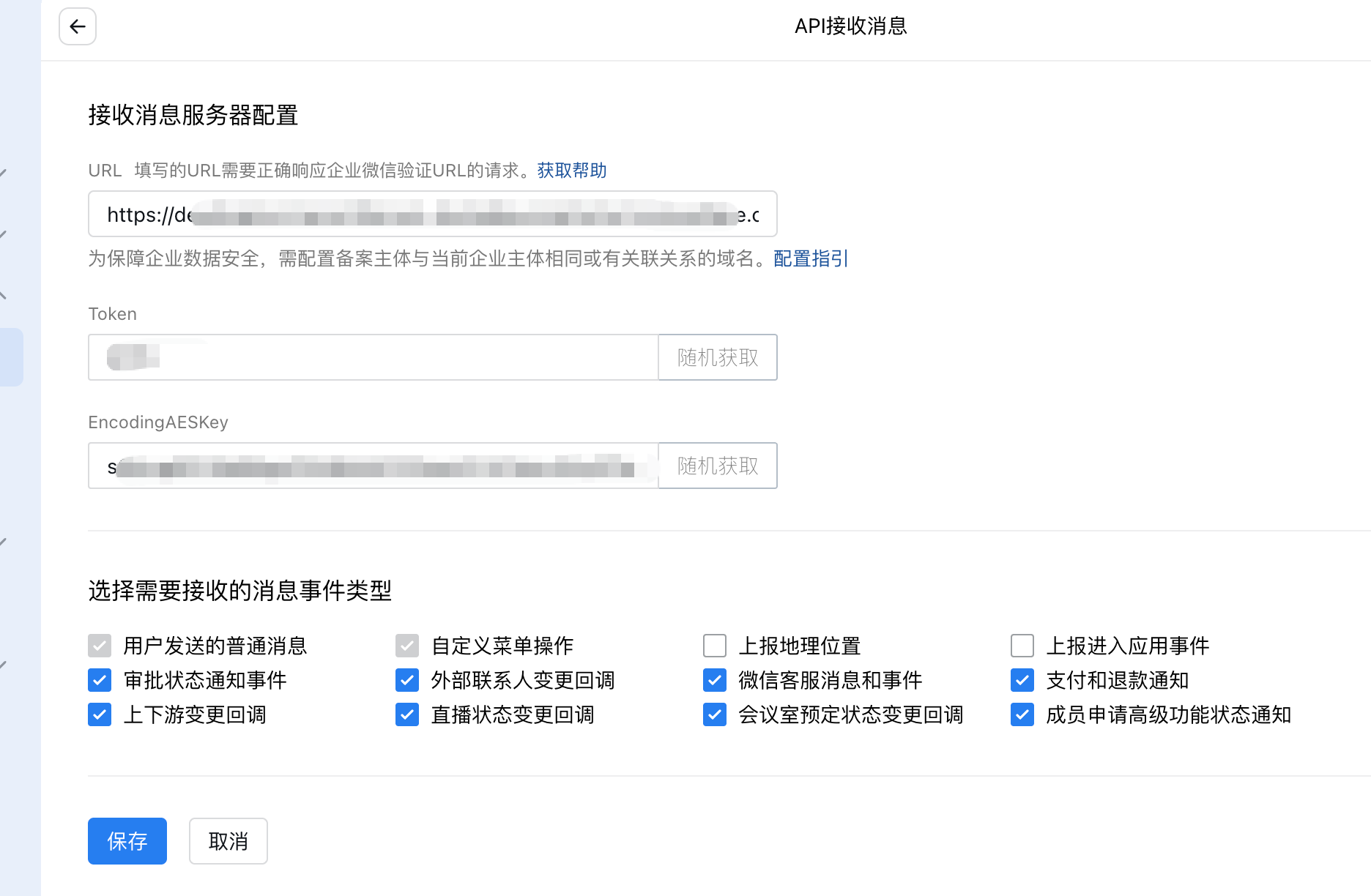
这里yml对应的配置内容就是
**
**
**
yml里面的三个配置项
**
Token就是该页面生成的token,可以随机,可以自定义。
EncodingAESKey 跟token一样,可以随机可以自定义生成
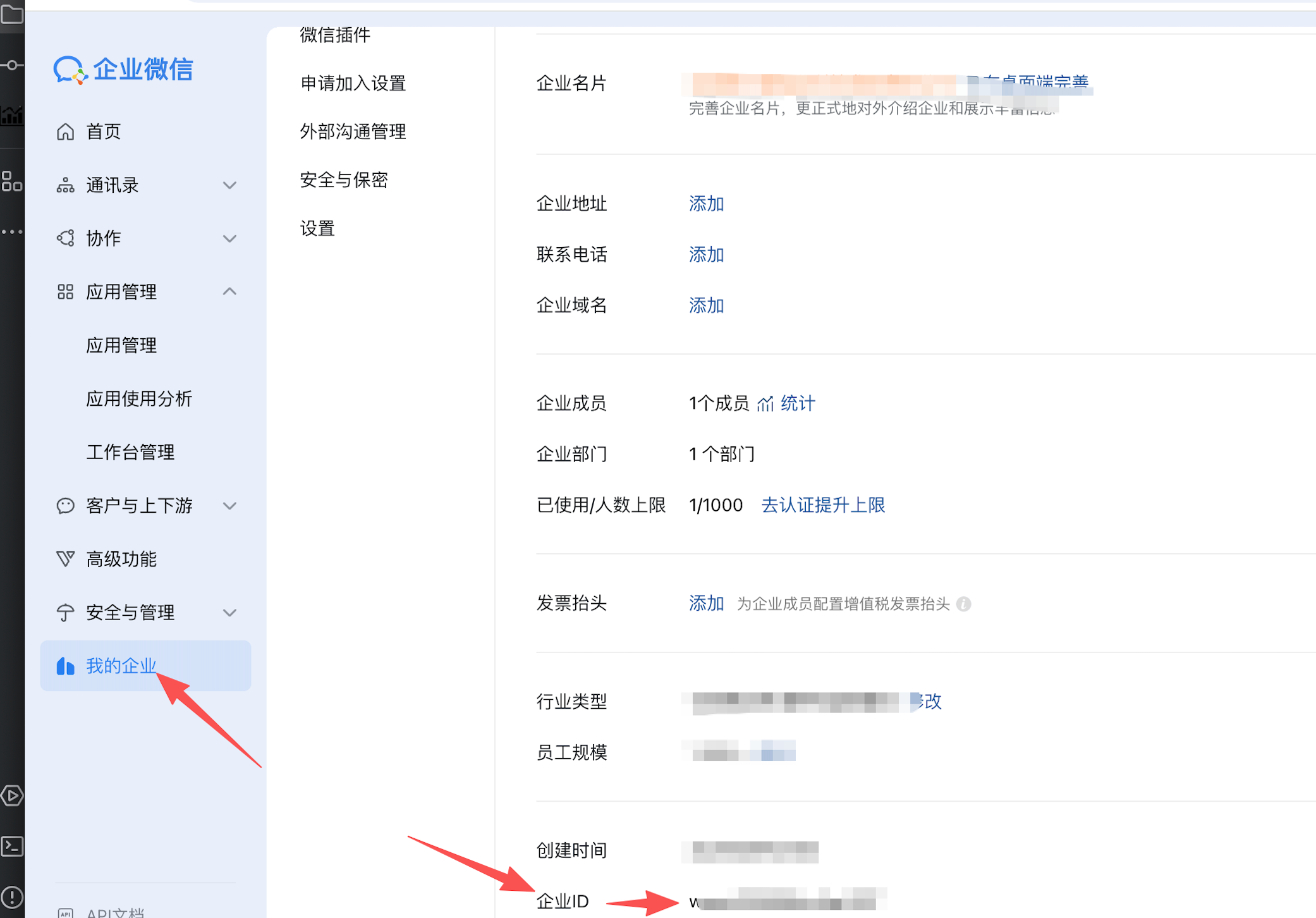
corp-id 则是企业微信的企业id是唯一的,对应在下面这个页面上查看
**
4、配置接收消息服务器
**
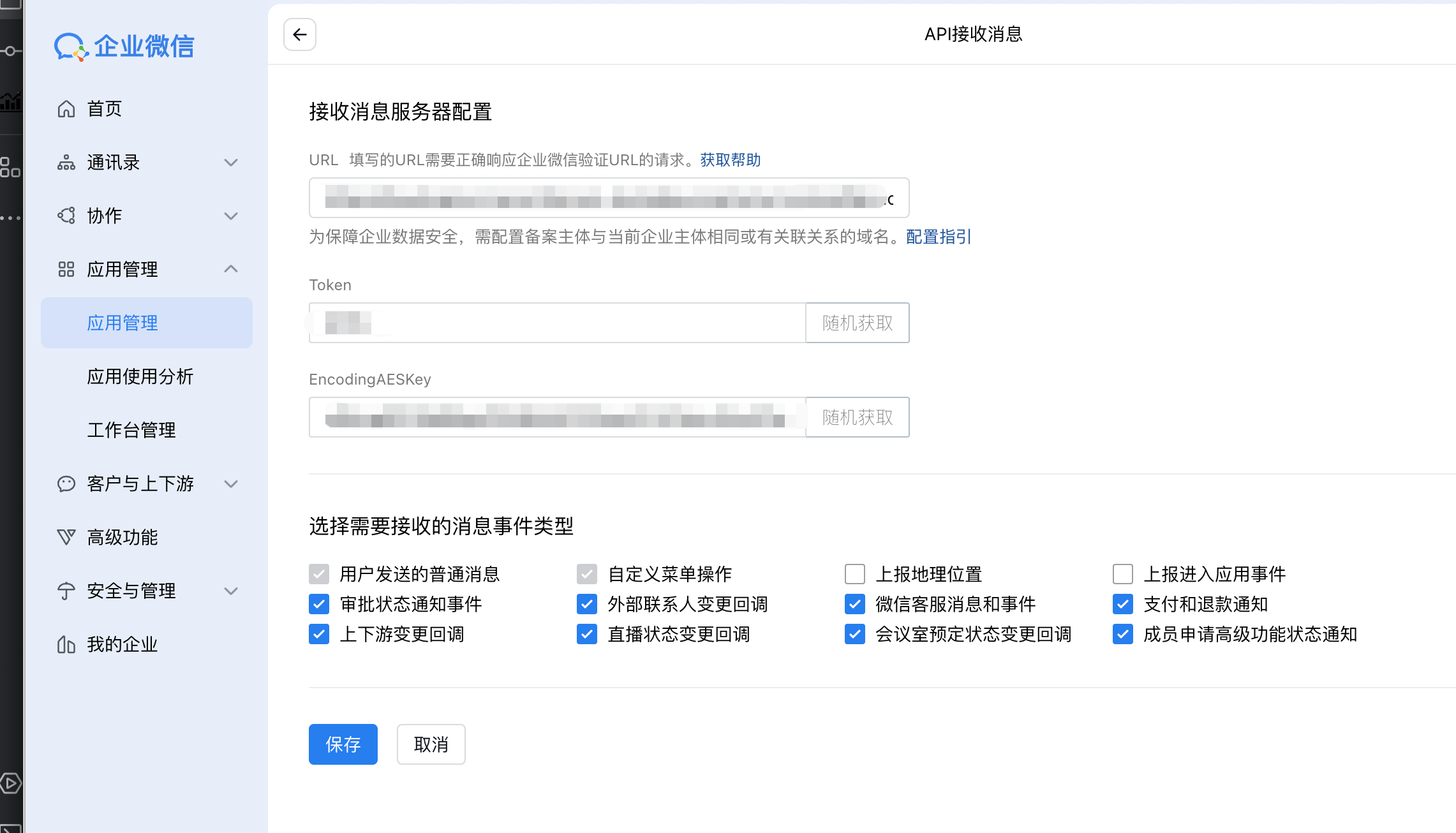
url地址 是内网穿透映射的公网域名地址拼接对应的java代码接口
https://对应映射的公网地址/wecom/approval
**
切记,yml里面配置的三个选项一定要跟企业微信里面的一致不然会报错
**
以上内容部署好了后,我们点击保存,就回提示成功,然后对应的java日志也会打印出以下内容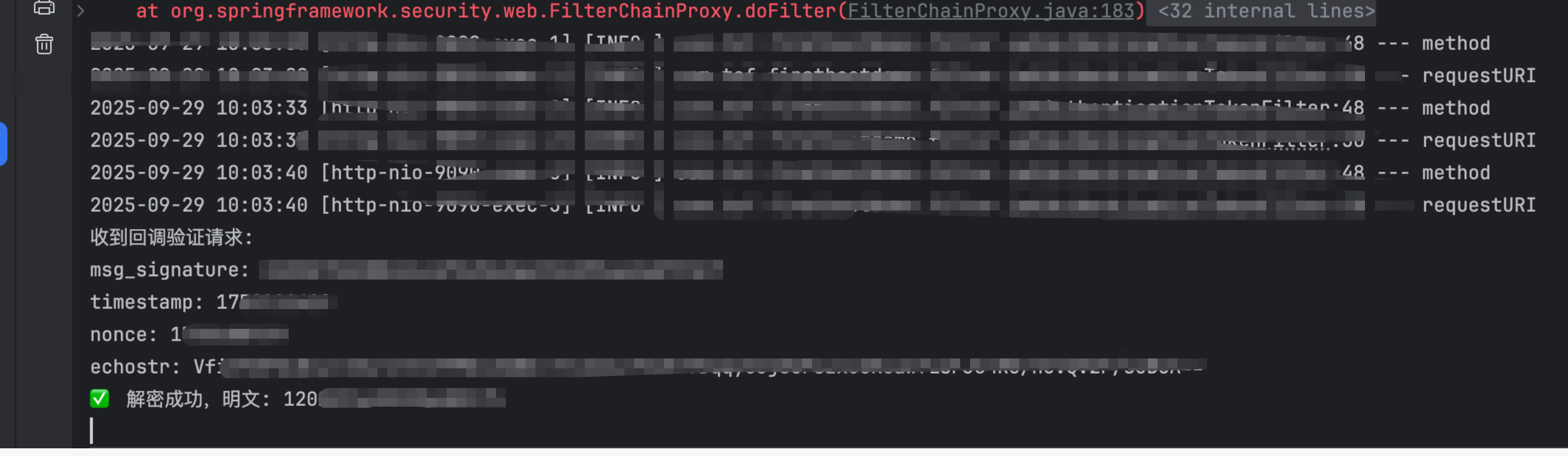
如果日志输出以上内容,表示消息服务器配置完毕

加入社区!打开量化的大门,首批课程上线啦!
更多推荐
 6
6 0
0- 0


 已为社区贡献1条内容

所有评论(0)