
优秀毕业设计:基于Python微博数据分析可视化系统 情感分析 舆情分析 新浪微博 爬虫 机器学习 大数据 ✅
·
博主介绍:✌全网粉丝10W+,前互联网大厂软件研发、集结硕博英豪成立工作室。专注于计算机相关专业项目实战6年之久,选择我们就是选择放心、选择安心毕业✌
> 🍅想要获取完整文章或者源码,或者代做,拉到文章底部即可与我联系了。🍅🍅感兴趣的可以先收藏起来,点赞、关注不迷路,大家在毕设选题,项目以及论文编写等相关问题都可以给我留言咨询,希望帮助同学们顺利毕业 。🍅
1、毕业设计:2025年计算机专业毕业设计选题汇总(建议收藏)✅
2、大数据毕业设计:2025年选题大全 深度学习 python语言 JAVA语言 hadoop和spark(建议收藏)✅
1、项目介绍
基于Python微博数据分析可视化系统 情感分析 舆情分析 新浪微博 爬虫 机器学习 大数据 毕业设计
技术栈:
Python语言、Django框架、MySQL数据库、Echarts可视化、requests爬虫技术、数据分析、地图分析、后台管理、关键词搜索分析、用户ID分析、微博评论分析、微博文章分析、情感分析
2、项目界面
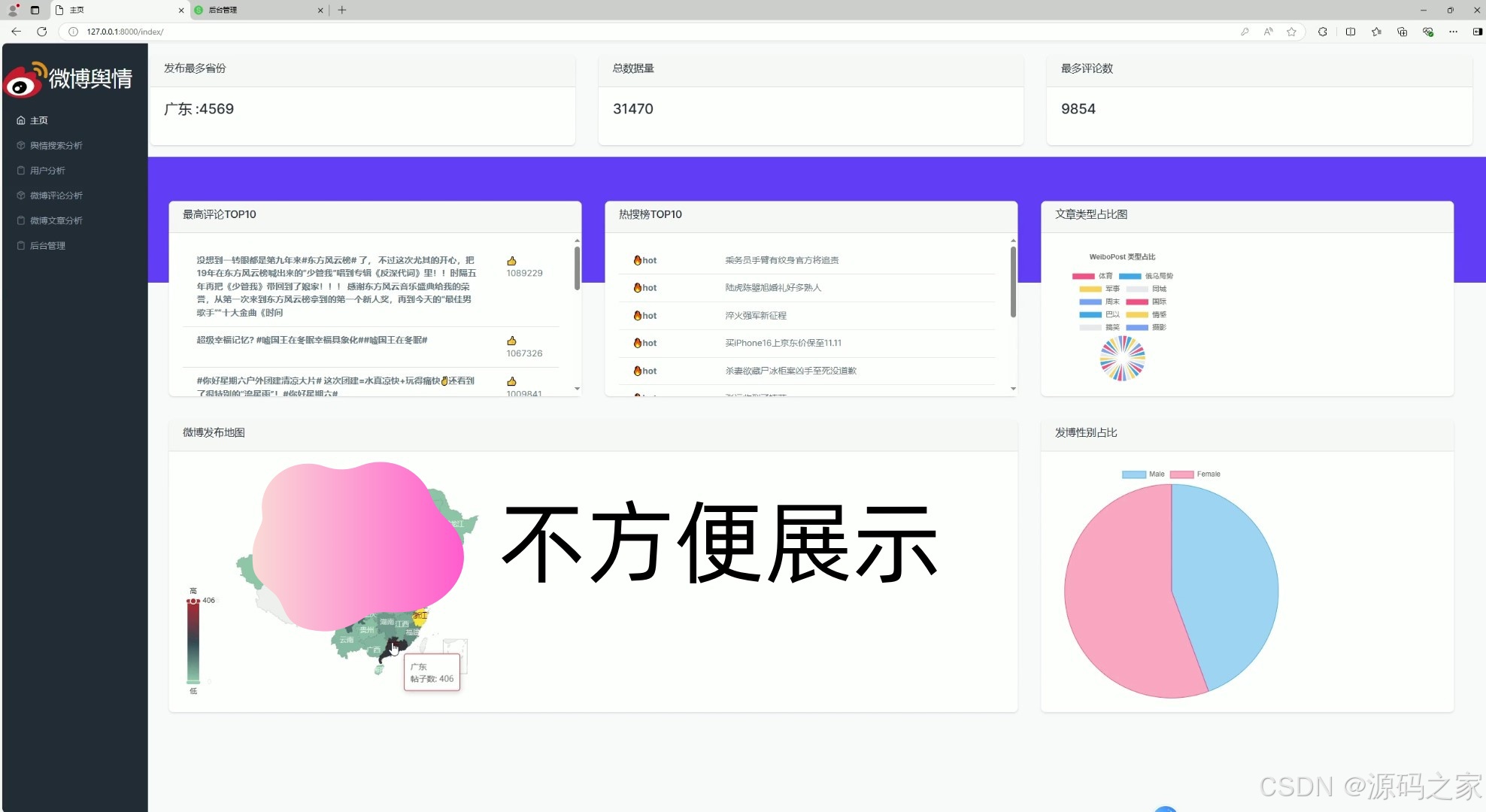
(1)首页
(2)微博文章分析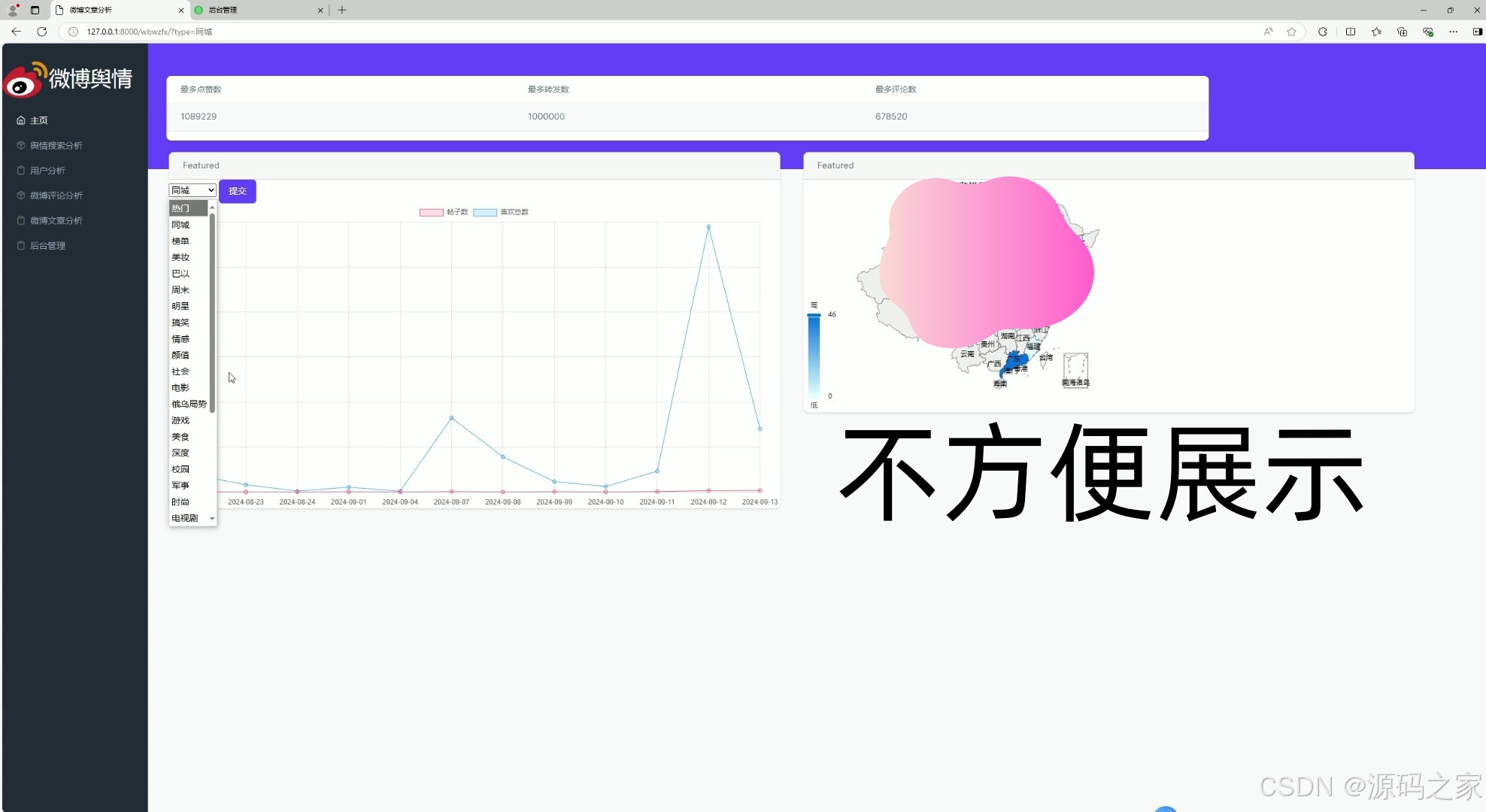
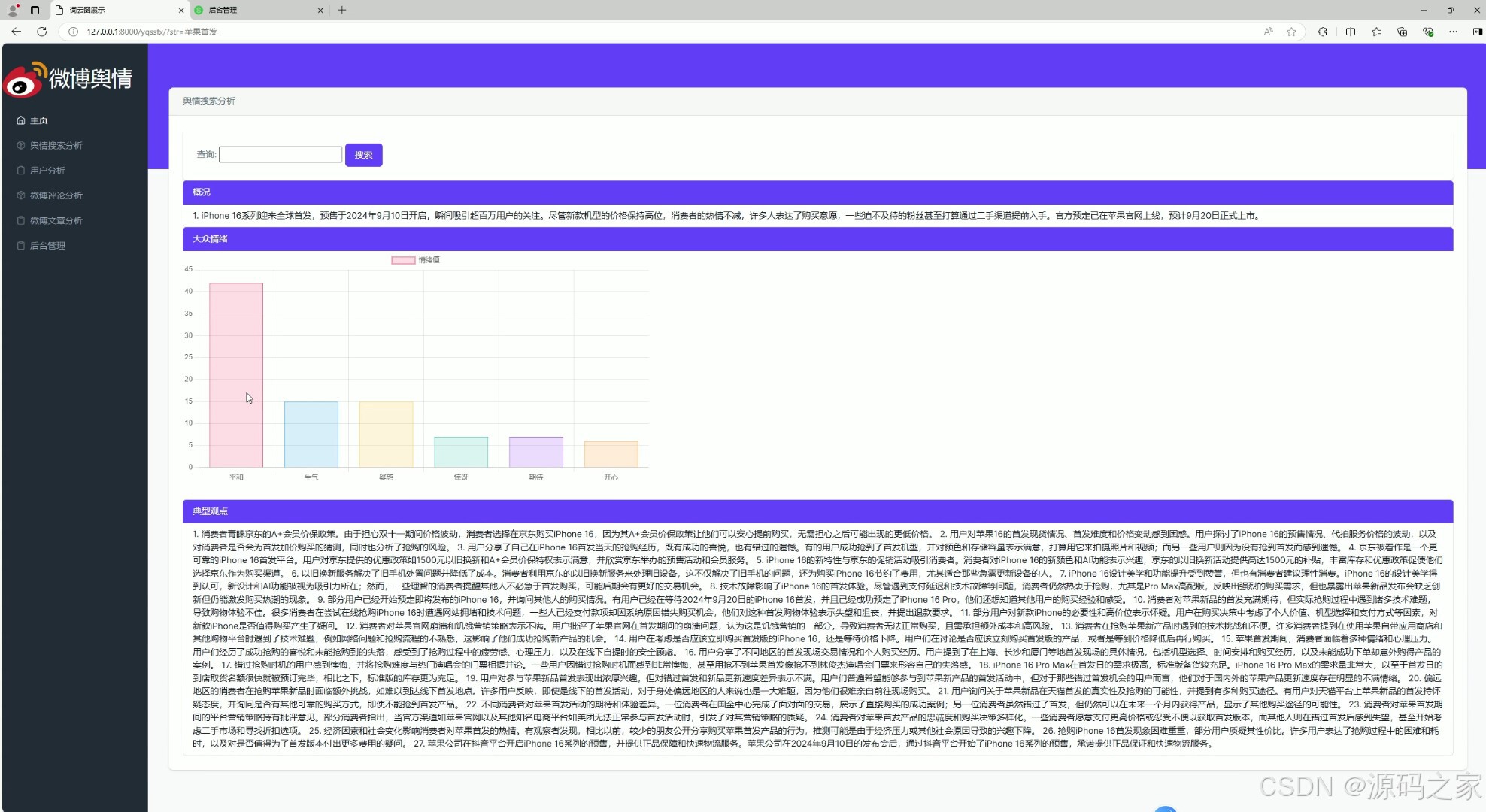
(3)舆情搜索分析
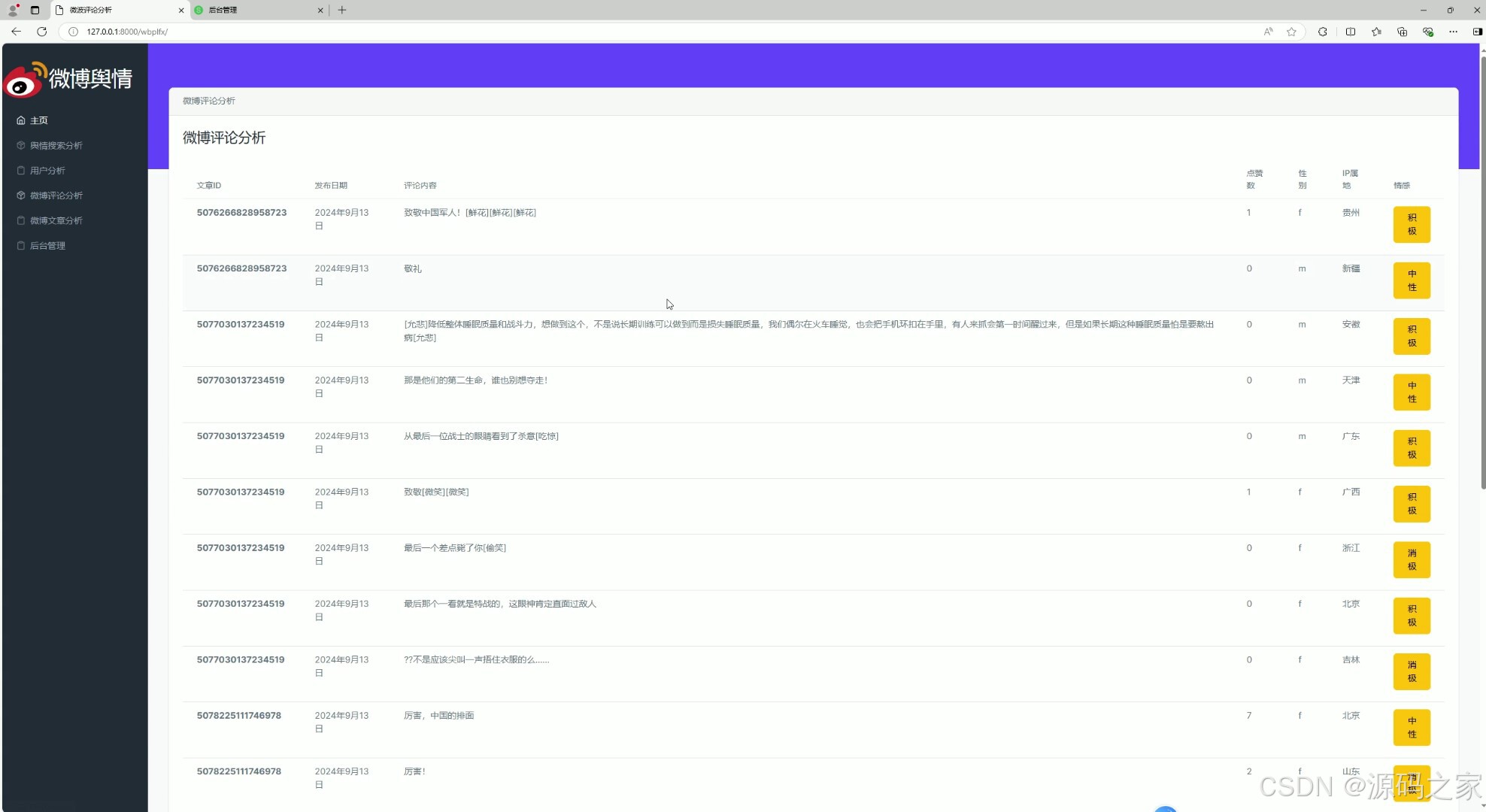
(4)微博评论分析
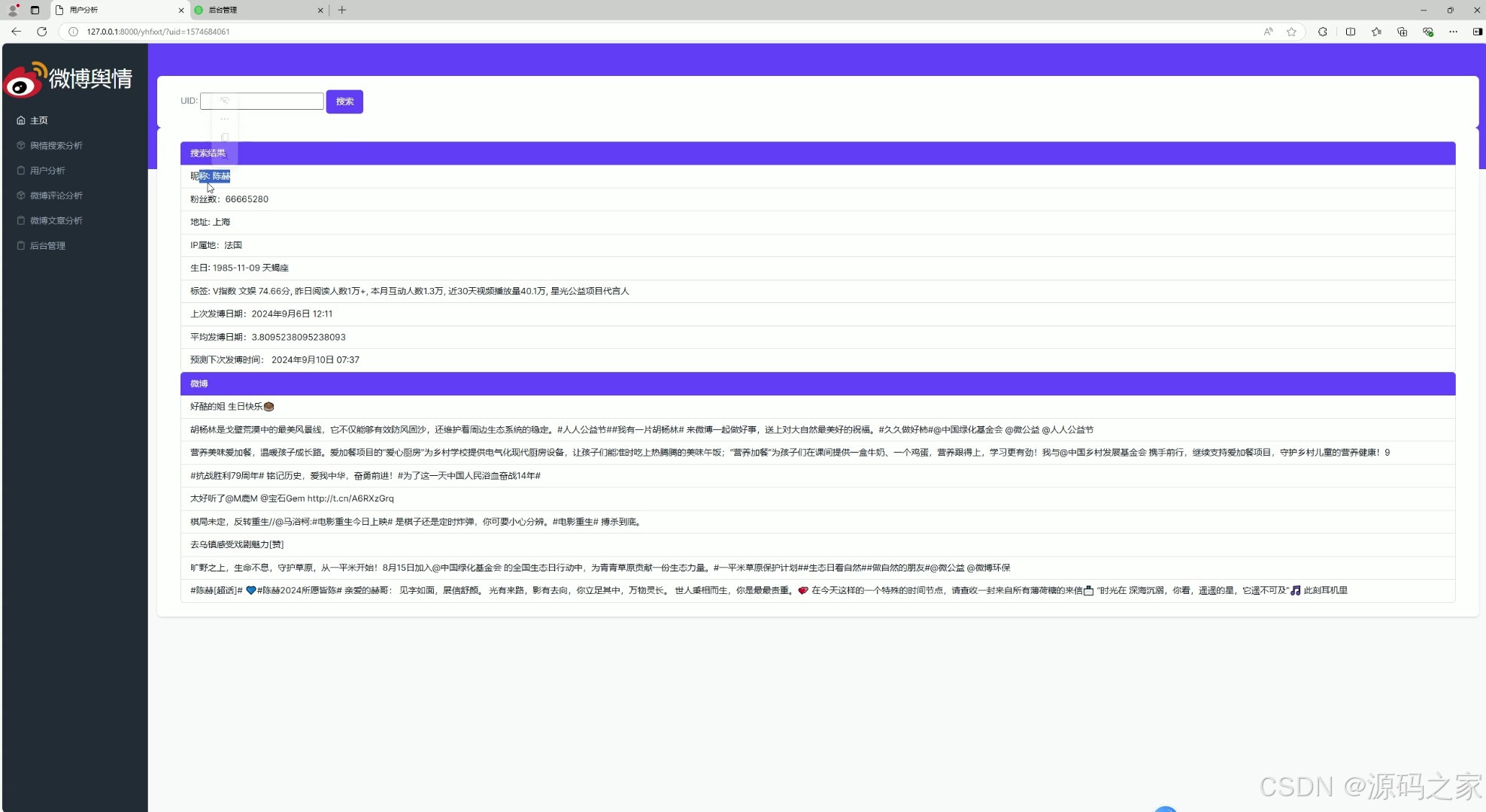
(5)用户分析
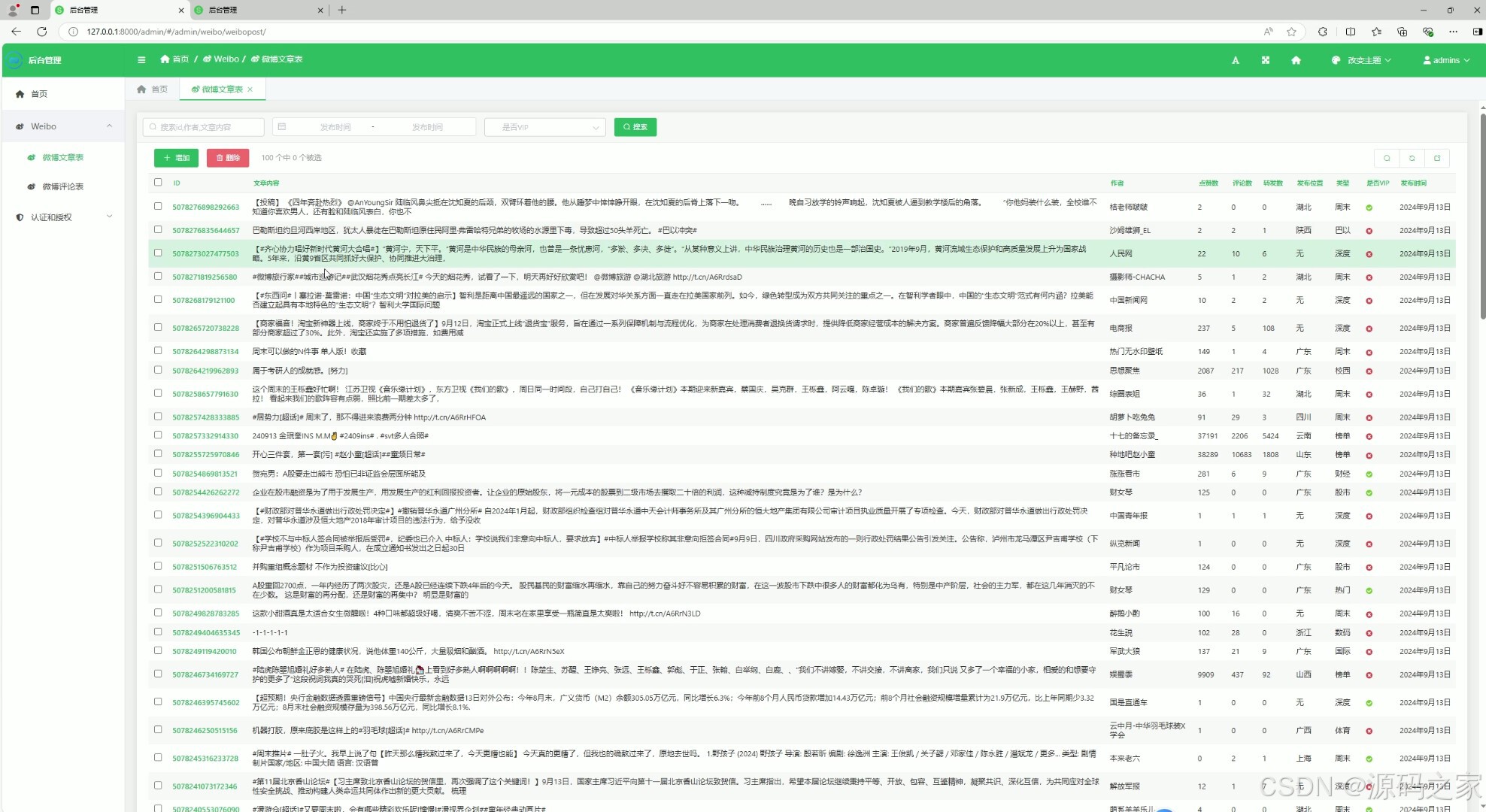
(6)后台数据管理
(7)注册登录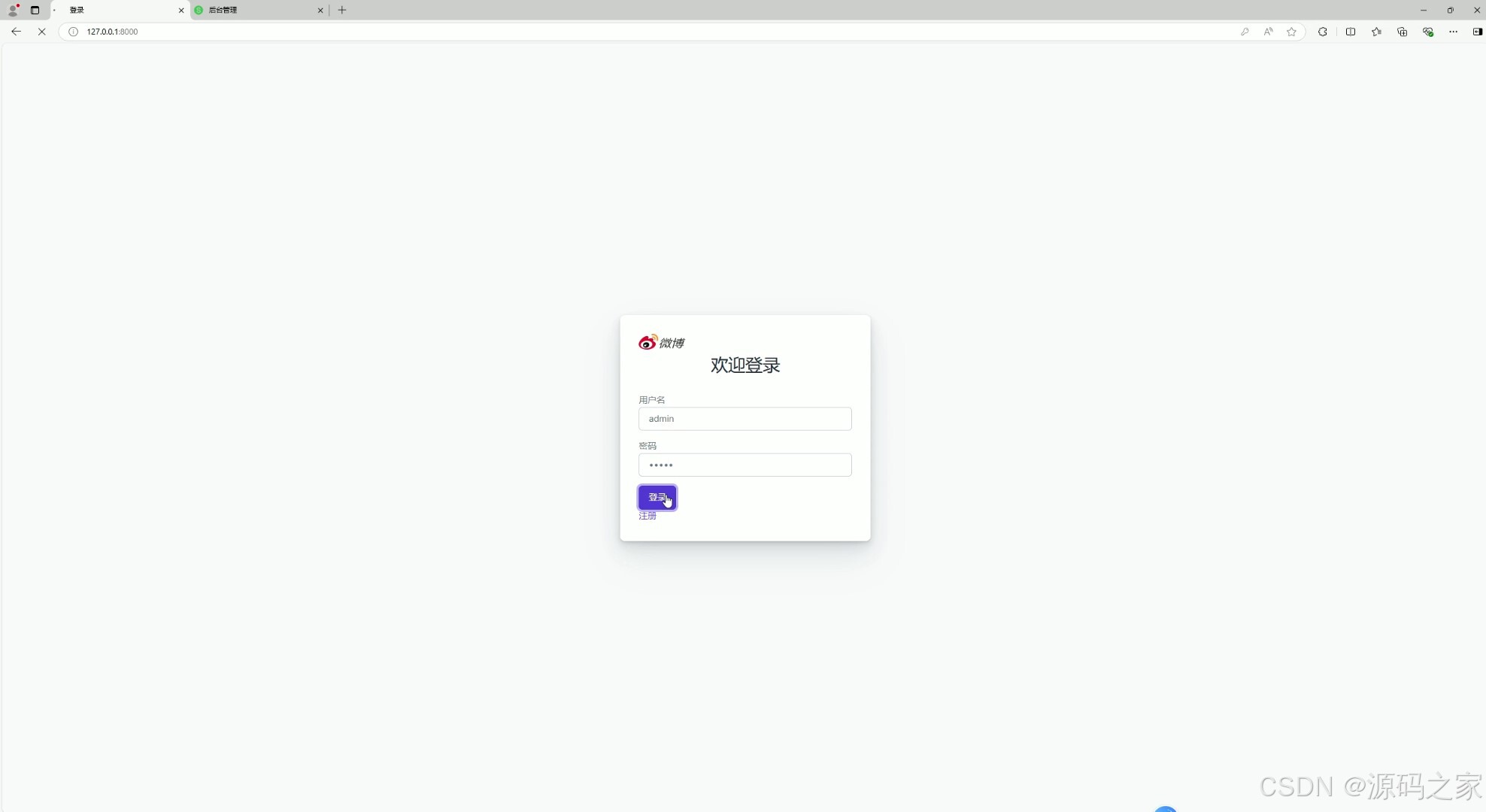
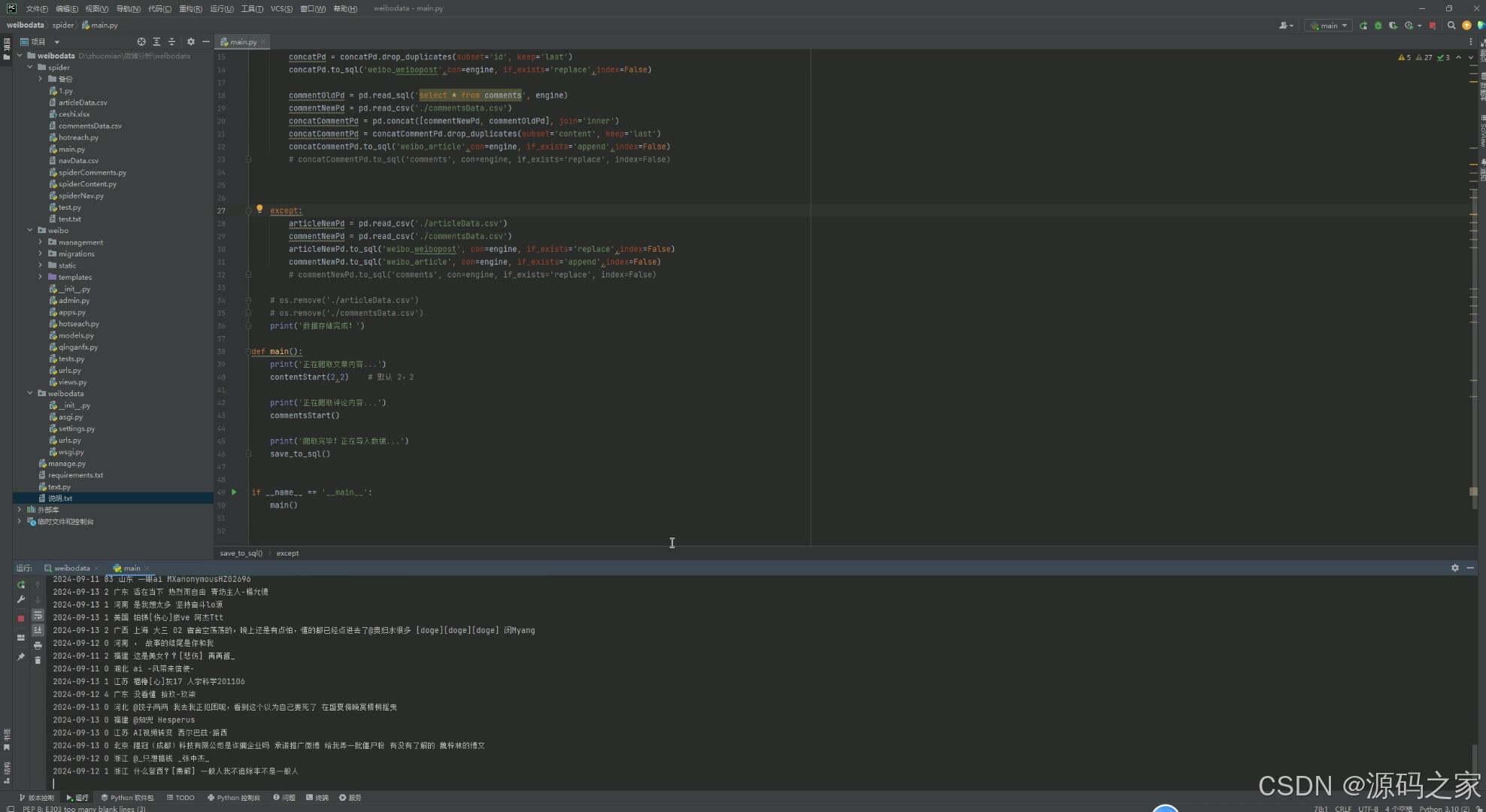
(8)数据采集
3、项目说明
摘要
社交媒体的兴起使得视频内容成为信息传播和用户互动的重要形式。微博作为中国领先的社交媒体平台,汇聚了大量的视频数据。本研究旨在通过对微博视频数据的可视化分析,深入探讨视频内容的流行趋势、用户行为模式以及互动关系。我首先进行了数据收集和预处理,确保数据的质量和完整性。
随后,应用了多种数据可视化技术,包括热力图、时间序列图和关系图,以揭示视频内容在不同时间段的受欢迎程度及其与用户互动的关联性。分析结果表明,特定类型的视频在特定的时间点表现出更高的受欢迎程度,而用户的互动行为(如点赞、评论和转发)与视频的内容特征和发布时机紧密相关。这些结果为社交媒体平台上的内容创作和营销策略提供了实证支持,也为进一步研究社交媒体数据的动态特性和用户行为模式奠定了基础。
未来的研究可以扩展到不同社交媒体平台和更广泛的数据集,以获得更加全面的洞察。
关键词:数据挖掘 可视化 微博 舆情分析 Django框架 python语言
本研究基于Django框架开发了一套完整的社交媒体视频数据采集、分析与可视化系统。该系统的架构设计旨在实现对微博平台视频数据的全面处理,涵盖数据采集、数据存储、数据分析与可视化展示等多个功能模块。系统的整体架构如图2.1所示,分为四大模块:
数据采集模块:通过网络爬虫技术,从微博平台上定期获取视频数据及其相关信息。爬虫的设计考虑了数据采集的效率和稳定性,能够在高并发的情况下稳定运行。
数据处理与分析模块:对采集到的原始数据进行清洗、分类和分析。包括文本的情感分析、视频的主题分类、用户行为分析等,使用Python的多种数据处理库如Pandas、Numpy,以及自然语言处理库如SnowNLP。
数据存储模块:基于Django框架的ORM功能,将清洗后的数据存储在关系型数据库中。数据库设计遵循第三范式,确保数据存储的高效性和一致性。
数据可视化模块:通过Django的模板系统,将分析结果以图表形式呈现,支持交互性强的可视化操作。前端使用了Chart.js等图表库,实现了趋势图、词云图、热力图等多种数据展示形式。
4、核心代码
from django.contrib.auth.forms import UserCreationForm
from django.contrib import messages
from django.contrib.auth import authenticate, login
from django.shortcuts import render, redirect
from .models import WeiboPost
from .hotseach import hs,yonghu,yuqin
from django.http import JsonResponse
from .models import WeiboPost,Article
from django.db.models import Count,Max,F,Sum
import json
from django.core.paginator import Paginator
from snownlp import SnowNLP
from django.db.models.functions import ExtractDay, ExtractHour, ExtractMinute
from django.db.models.functions import TruncDay

def wbwzfx(request):
    selected_type = request.GET.get('type', None)
    types = WeiboPost.objects.values_list('type', flat=True).distinct()

    if selected_type:
        data = WeiboPost.objects.filter(type=selected_type) \
                                .annotate(day=TruncDay('created_at')) \
                                .values('day') \
                                .annotate(count=Count('id'), total_likes=Sum('likeNum')) \
                                .order_by('day')

        province_data = WeiboPost.objects.filter(type=selected_type) \
                                         .values('region') \
                                         .annotate(count=Count('id')) \
                                         .order_by('region')

        labels = [item['day'].strftime('%Y-%m-%d') for item in data]
        counts = [item['count'] for item in data]
        total_likes = [item['total_likes'] for item in data]
    else:
        labels, counts, total_likes, province_data = [], [], [], []

    post_with_most_likes = WeiboPost.objects.aggregate(Max('likeNum'))
    post_with_most_reposts = WeiboPost.objects.aggregate(Max('reposts_count'))
    post_with_most_comments = WeiboPost.objects.aggregate(Max('commentsLen'))

    context = {
        'types': types,
        'labels': labels,
        'counts': counts,
        'total_likes': total_likes,
        'selected_type': selected_type,
        'post_with_most_likes': post_with_most_likes['likeNum__max'],
        'post_with_most_reposts': post_with_most_reposts['reposts_count__max'],
        'post_with_most_comments': post_with_most_comments['commentsLen__max'],
        'province_data': list(province_data),
    }

    return render(request, 'wbwzfx.html', context)

def wbplfx(request):
    # 获取所有文章并按创建时间降序排序
    articles = Article.objects.all().order_by('-created_at')

    # 对每篇文章进行情绪分析,并分类情绪
    for article in articles:
        s = SnowNLP(article.content)
        # 获取情绪倾向分数
        sentiment_score = s.sentiments

        # 根据情绪分数对情绪进行分类
        if sentiment_score > 0.6:
            article.sentiment_category = "积极"
        elif sentiment_score < 0.4:
            article.sentiment_category = "消极"
        else:
            article.sentiment_category = "中性"

    # 设置分页,每页20条记录
    paginator = Paginator(articles, 20)

    # 从请求中获取页码号
    page_number = request.GET.get('page')
    page_obj = paginator.get_page(page_number)

    return render(request, 'wbplfx.html', {'page_obj': page_obj})

def yhfxxt(request):
    uid = request.GET.get('uid')
    if not uid:
        # 如果没有提供 uid,渲染 HTML 页面而不是调用 API
        return render(request, 'yhfxxt.html')

    # 调用修改后的 yonghu 函数,获取数据
    user_data = yonghu(uid)
    if user_data:
        # 将数据传递到模板
        context = {
            'name': user_data[0],
            'fans': user_data[1],
            'location': user_data[2],
            'ip_location': user_data[3],
            'birthday': user_data[4],
            'labels': user_data[5],
            'last_post_date': user_data[6],
            'average_interval': user_data[7],
            'next_expected_post': user_data[8],
            'recent_posts': user_data[9],
        }
        return render(request, 'yhfxxt.html', context)
    else:
        # 在出错或未找到用户数据的情况下,可以添加适当的处理
        return JsonResponse({'error': 'User data could not be retrieved.'}, status=500)

def yqssfx(request):
    # 检查是否有GET请求并获取`str`参数
    query_str = request.GET.get('str', '')
    if query_str:  # 如果有输入
        print("正在调用yqssfx函数、yuqin函数,接收到:")
        print(query_str)
        data = yuqin(query_str)
        print("已完成!调用yuqin函数")

        if data:
            return render(request, 'yqssfx.html', {'data': data})
        else:
            return render(request, 'yqssfx.html', {'error': '无法获取数据'})
    else:
        # 如果没有输入或者str为空,只渲染空模板或带有提示的模板
        return render(request, 'yqssfx.html', {'error': '请输入查询字符串'})


def post_type_statistics(request):
    data = WeiboPost.objects.values('type').annotate(total=Count('type')).order_by('type')
    return JsonResponse(list(data), safe=False)


def index(request):

    top_posts = WeiboPost.objects.order_by('-likeNum')[:10]
    hot_searches = hs()  # 调用获取热搜的函数
    authors = Article.objects.values_list('authorGender', flat=True)
    male_count = sum(1 for gender in authors if gender == 'm')
    female_count = sum(1 for gender in authors if gender == 'f')
    total_count = len(authors)
    male_ratio = (male_count / total_count) * 100
    female_ratio = (female_count / total_count) * 100

    context = {
        'male_ratio': male_ratio,
        'female_ratio': female_ratio
    }

    most_common_region = Article.objects.values('region').annotate(count=Count('region')).order_by('-count').first()
    # 将男女比例数据转换为 JSON 格式传递给前端
    context_json = json.dumps(context)
    total_entries = Article.objects.count()
    max_content_len = WeiboPost.objects.aggregate(max_content_len=Max('contentLen'))['max_content_len']
    province_data = WeiboPost.objects.values('region').annotate(count=Count('id')).order_by('region')
    return render(request, 'index.html', {'top_posts': top_posts, 'hot_searches': hot_searches,'context_json': context_json,'most_common_region': most_common_region,'total_entries':total_entries,'max_content_len':max_content_len,'province_data': list(province_data)})
5、源码获取方式
biyesheji0005 或 biyesheji0001 (绿色聊天软件)
🍅由于篇幅限制,获取完整文章或源码、代做项目的,查看我的【用户名】、【专栏名称】、【顶部选题链接】就可以找到我啦🍅
感兴趣的可以先收藏起来,点赞、关注不迷路,下方查看👇🏻获取联系方式👇🏻

加入社区!打开量化的大门,首批课程上线啦!
更多推荐



 16
16 0
0- 0


 已为社区贡献3条内容

所有评论(0)