
AST反混淆实战|某爬虫靶场第二题混淆代码还原详解(二)
·
关注它,不迷路。
本文章中所有内容仅供学习交流,不可用于任何商业用途和非法用途,否则后果自负,如有侵权,请联系作者立即删除!
1.变量定义还原与删除:
经过上一步的美化以后,看到了很多变量定义没有被还原,如:
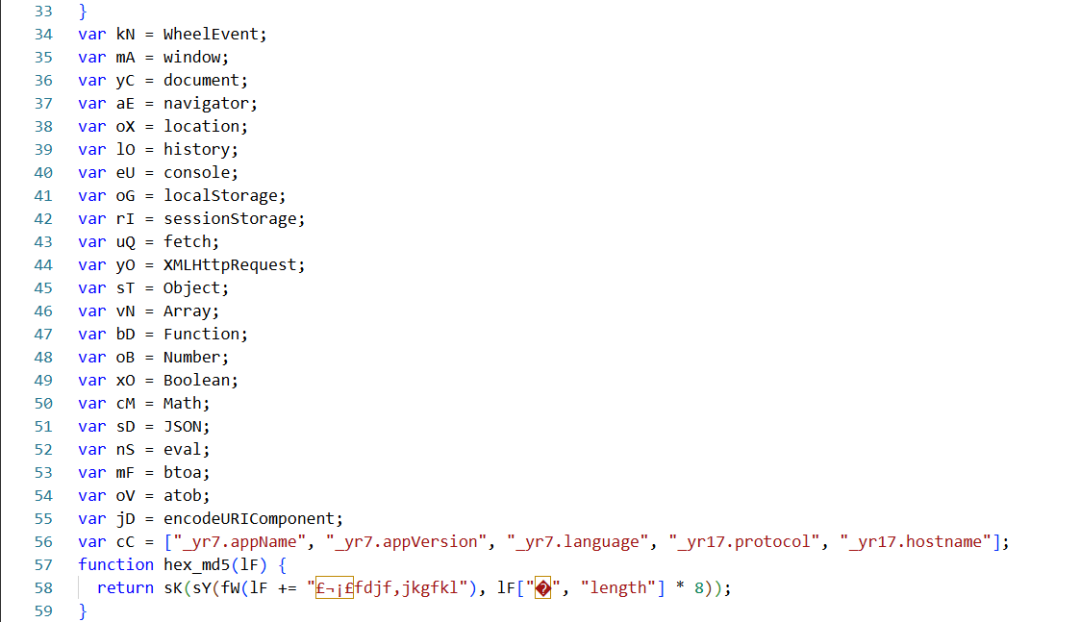
那全局搜索一下,发现这里:
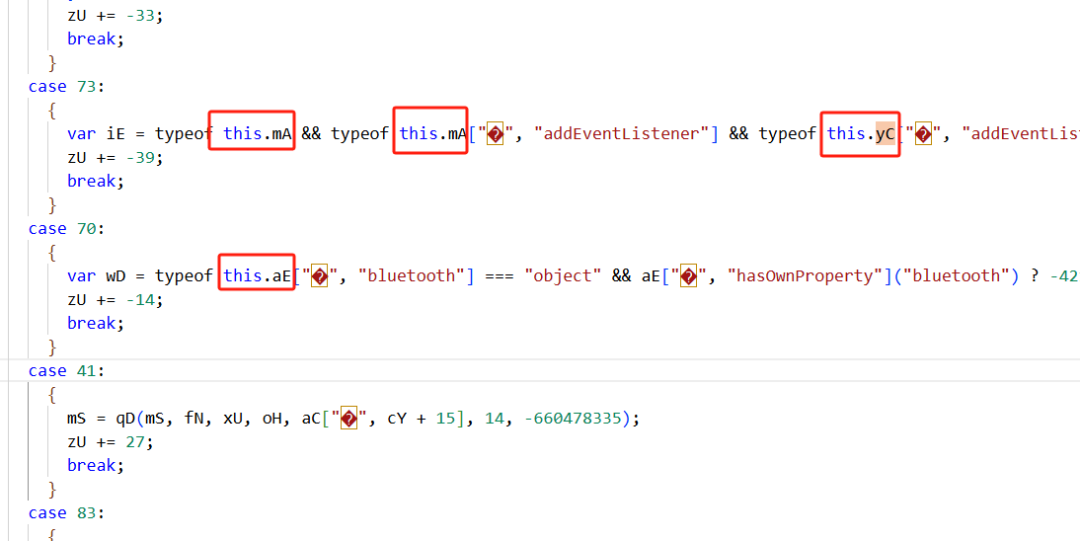
混淆代码用了 this.mA,所以你用 binding 没办法定位到变量引用的地方。这里手动处理下:
typeof this.mA && typeof this.mA ===> typeof mA && typeof mA即 全局替换 "this." ==> "";
再进行变量的还原,使用插件:
https://t.zsxq.com/19zgyjPmP还原后删除,使用插件:
https://t.zsxq.com/VkIm22.处理逗号表达式:
即将:
window["�", "hex_md5"] = hex_md5;还原成:
window["hex_md5"] = hex_md5;使用插件:
https://t.zsxq.com/IjVzC3.去掉SwitchCase子节点的{}:
将
case 4: { return qI; break; }还原成:
case 4: return qI; break;星球貌似没有现成的插件,那就写一个吧:
const removeBlockOfSwitchCase = {    SwitchCase(path)    {        let {consequent} = path.node;               if (consequent.length == 1 && types.isBlockStatement(consequent[0]))        {            path.node.consequent = consequent[0].body;        }    }}
traverse(ast,removeBlockOfSwitchCase);
上述的代码处理后,接下来就是去控制流了。
今天的分享就到这里,感谢阅读。
欢迎加入知识星球,学习更多AST和爬虫技巧。


加入社区!打开量化的大门,首批课程上线啦!
更多推荐


 6
6 0
0- 0


 已为社区贡献2条内容

所有评论(0)