
python爬虫(五) ---- Pyinstaller打包Python程序为exe文件及遇到的问题
·
python爬虫 之 Pyinstaller打包Python程序为exe文件及遇到的问题
一、环境准备
-
安装 pyinstaller
pip install pyinstaller -
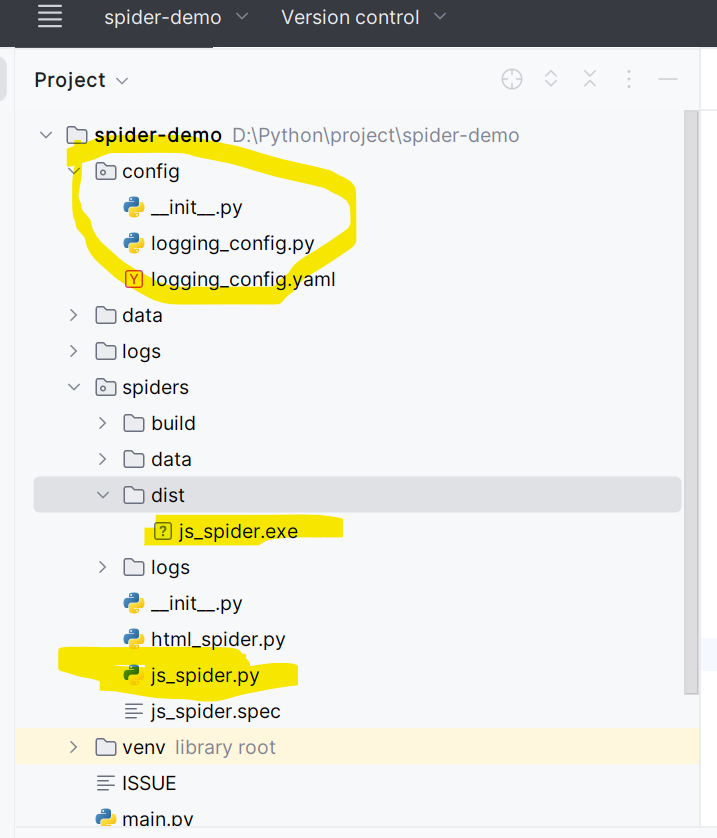
目录结构及说明
- config下是日志配置文件
- spiders/js_spider.py 为要打包的程序
- 该程序依赖 config/logging_config.py
- logging_config.py 使用了 config/logging_config.yaml 作为日志配置文件。
二、打包步骤
-
进入spiders目录
-
执行打包命令
pyinstaller --add-data "../config/logging_config.yaml;config" --hidden-import=concurrent_log_handler js_spider.py --onefile -
命令说明:
- 简单命令只需执行 pyinstaller js_spider.py --onefile
- 因为本程序依赖了yaml配置文件, 所以增加了 --add-data参数
- 因为本程序依赖第三方日志库, 所以增加了 --hidden-import参数
-
执行成功后会在当前目录下生成dist文件夹, 这个文件夹下的 js_spider.exe就是执行程序
三、exe 执行方式:
- 直接双击执行js_spider.exe, 日志窗口在程序执行完后会关闭, 不便观察日志情况
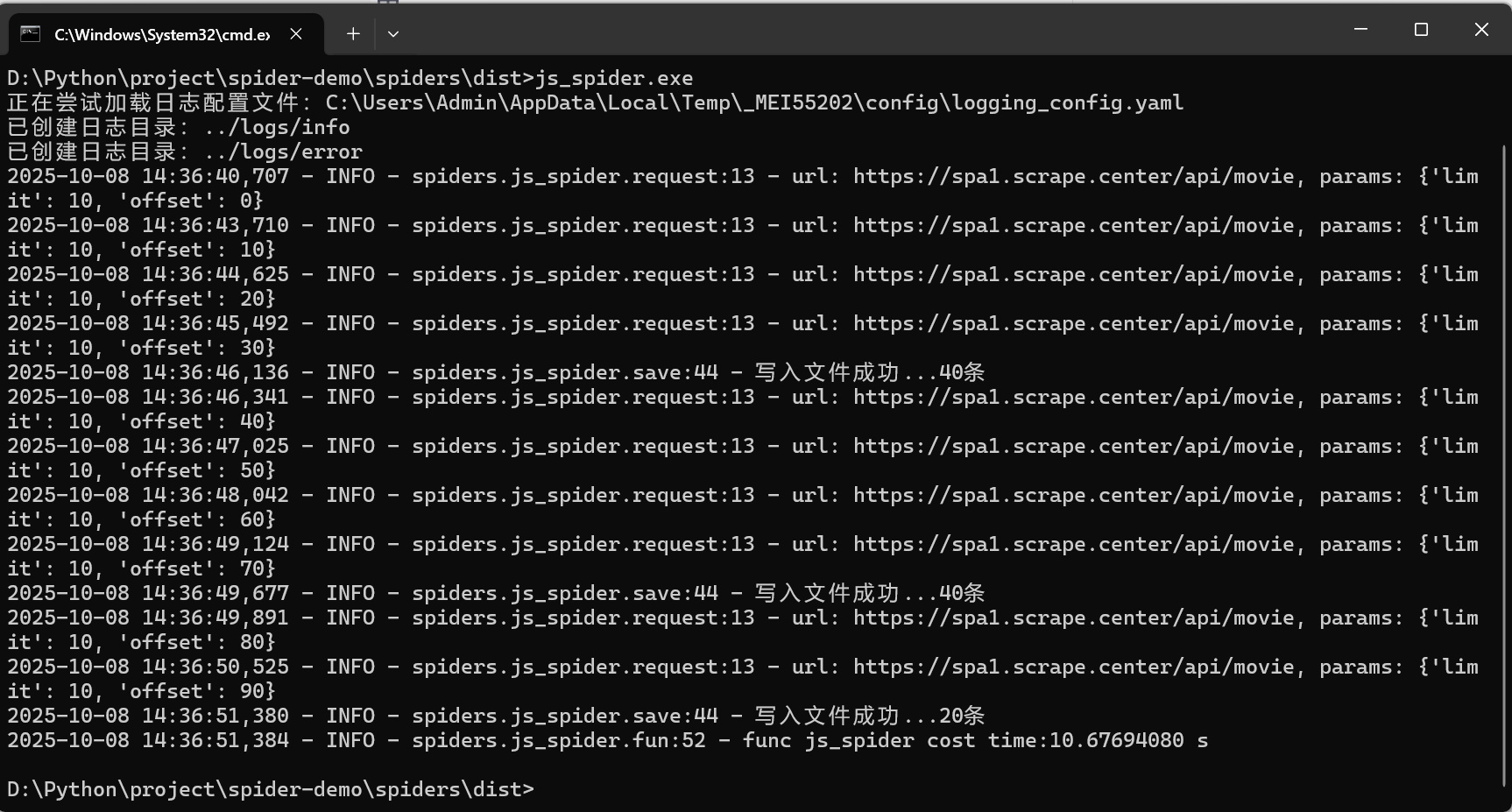
- cmd窗口命令执行, 进入到 js_spider.exe 所在目录, 输入 js_spider.exe 后回车执行, 执行完后,窗口不关闭, 结果如下图
- Windows PowerShell 窗口执行, 执行步骤与 cmd窗口相同, 但执行命令为 .\js_spider.exe
四、问题及解决方式
1. ImportError: DLL load failed while importing aggregations: 找不到指定的模块。
- 原因: pandas , numpy 以及 python的版本不一致,
- 本程序版本说明:
python:3.9.0
pandas:2.3.3 (需要的python版本为 3.10.0以上)
numpy:2.0.3
PS: 虽然程序执行没有问题, 但是打包成exe后就会有问题, 各个版本兼容信息可以询问 AI。 - 解决方式:更新pandas 和 numpy版本
pip install numpy==1.23.5 pandas==1.5.3
2. FileNotFoundError: 日志配置文件未找到: …/config/logging_config.yaml
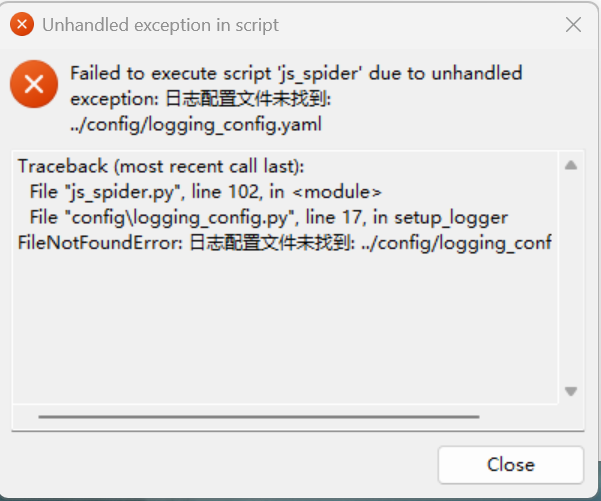
- 原因: 打包过程中没有添加日志配置文件
- 解决方式:
- 打包时通过 --add-data 参数添加日志配置文件
pyinstaller --add-data "../config/logging_config.yaml;config" js_spider.py --onefile - 修改logging_config.py中的base_path
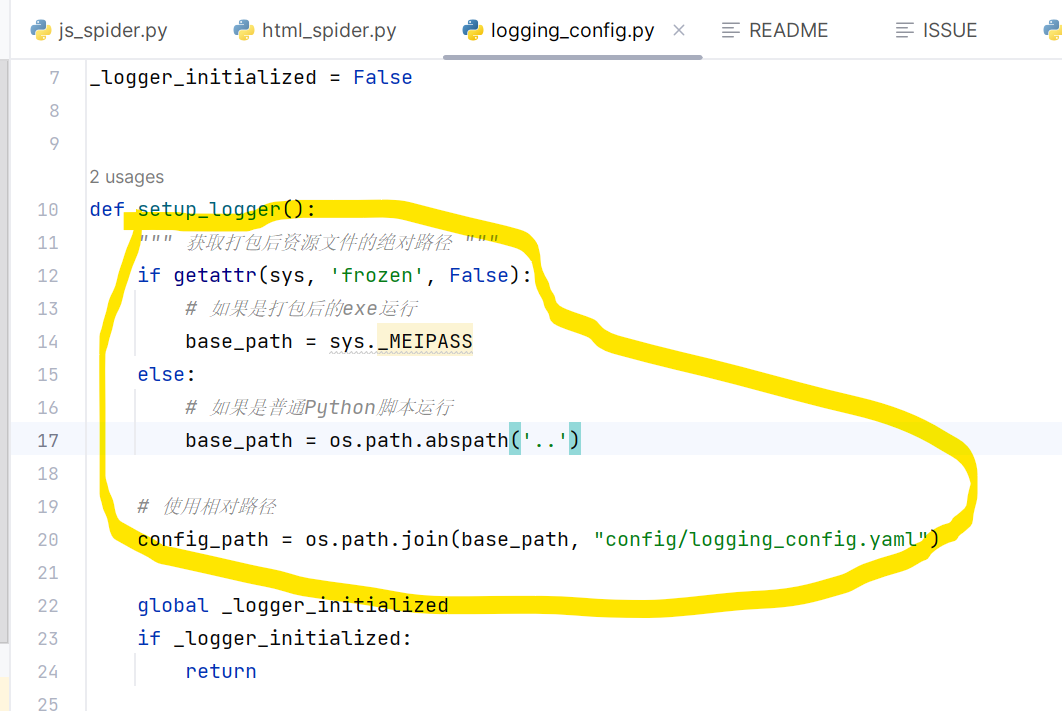
- 打包时通过 --add-data 参数添加日志配置文件
3. ModuIeNotFoundError: NO module named ’ concurrent_log_handler’
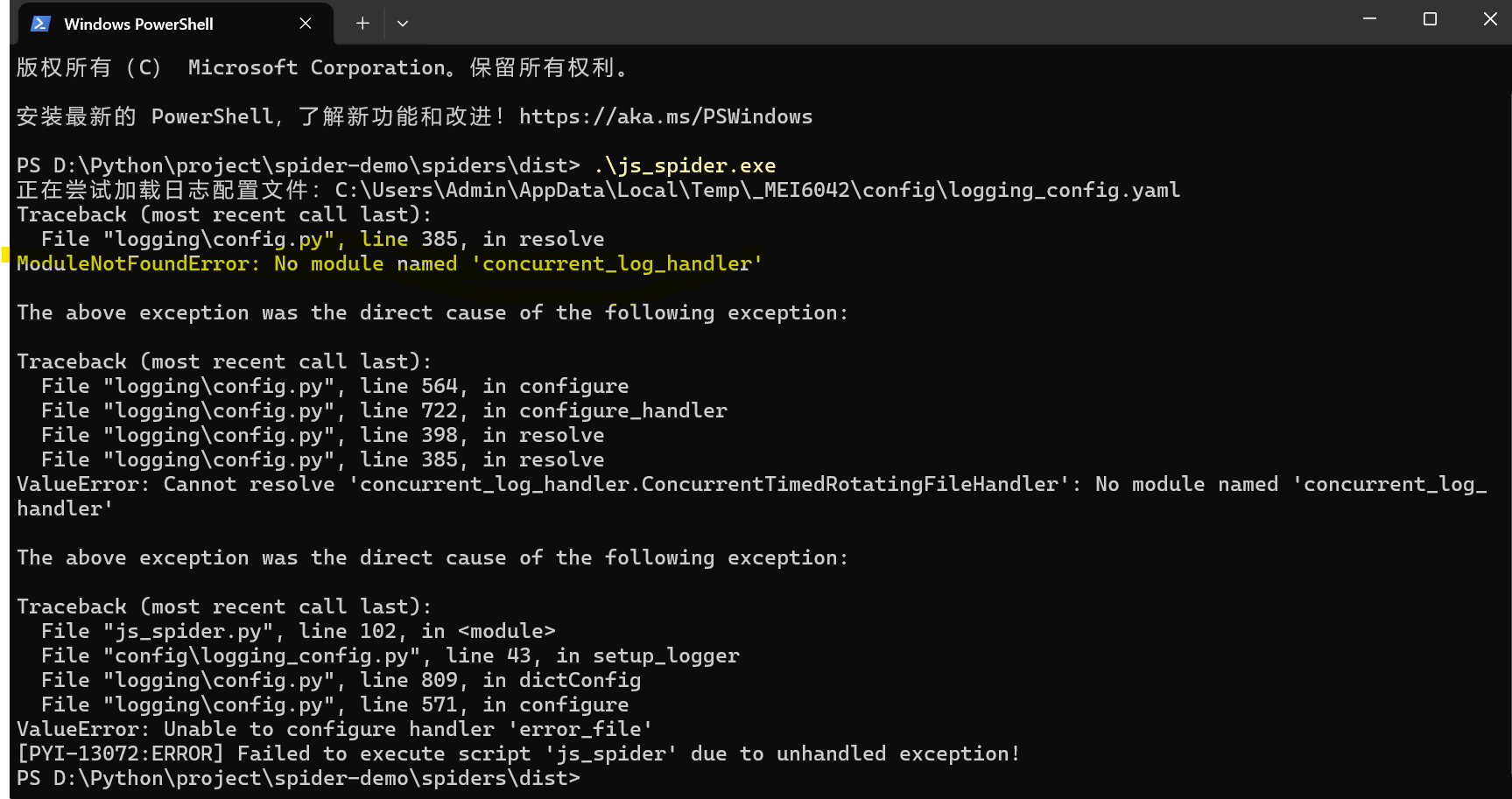
- 原因: 本程序中引入了第三方日志库, 但是代码中没有显示的引用依赖, 而是在日志配置文件yaml中引用, 导致打包时漏掉了这个模块
- 解决方式: 通过–hidden-import参数 指明需要包含的模块
pyinstaller --add-data "../config/logging_config.yaml;config" --hidden-import=concurrent_log_handler js_spider.py --onefile
五、pyinstaller相关命令说明
-
添加数据文件(如 .yaml, .txt, .json)
pyinstaller --add-data "data.txt;data" your_script.py- Windows 使用 ; 分隔路径,Linux/macOS 使用 :
- 示例:–add-data “config.yaml;config” 表示将 config.yaml 打包到运行时目录下的 config 文件夹中。
-
添加隐藏导入(Hidden Imports)
pyinstaller --hidden-import=module_name your_script.py- 如果程序运行时报错找不到模块,可以使用这个参数
-
指定图标(Windows) :
pyinstaller --icon=app.ico your_script.py -
清理缓存(重新打包时推荐)
pyinstaller --clean your_script.py -
不显示控制台窗口
pyinstaller --noconsole your_script.py -
给exe文件命名
pyinstaller --name your_script.py -
查看所有可用命令
pyinstaller --help
六、日志配置及相关代码可以查看往期文章

加入社区!打开量化的大门,首批课程上线啦!
更多推荐


 16
16 0
0- 0


 已为社区贡献2条内容

所有评论(0)